


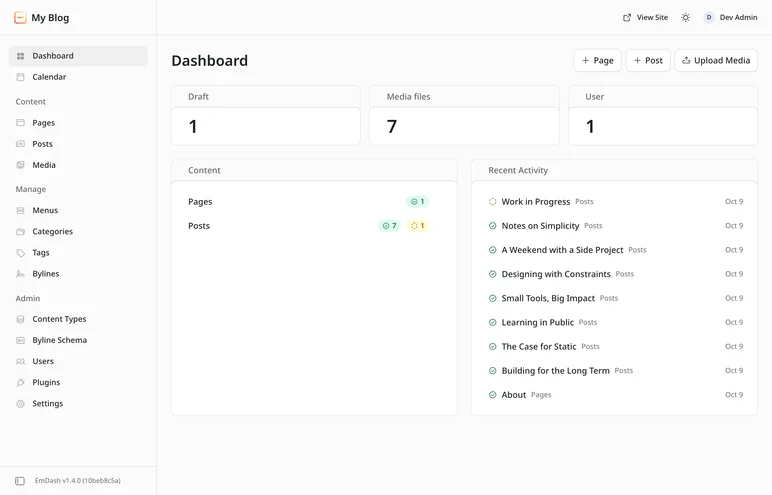
Tested with EmDash 1.4.0 and the update from 1.3.1, using the Cloudflare blog template and Node.js 22.
EmDash 1.3 made working as a team possible. EmDash 1.4, released on 29 October 2026, makes it more pleasant. You can hide admin areas your editors never need. Edits no longer vanish silently when two people save at once or when you leave the editor too quickly. And sites on Cloudflare get search powered by Cloudflare AI Search as a plugin of its own.
Since 1.3.1, 115 changes have landed, from 23 people and two bots. 24 of them are by Daniel and me. It is a smaller release than 1.3, with one new core feature, one new plugin and lots of fixes. Here is what matters for you, what I saw during the update and what to check first. New to EmDash? Start with the getting started guide on The Weekly Dash.
EmDash 1.4 at a glance
- For editorial teams: areas such as comments or redirects can be hidden, and the actions in content lists move into one menu.
- Against lost work: two simultaneous saves no longer overwrite each other, and leaving the editor right after typing loses nothing.
- For sites on Cloudflare: AI Search as a plugin, fewer D1 queries and no more stale pages after a delete.
- For menus: no dead links to trashed posts, and translating large menus on D1 works.
- For every language: many more admin translations, including the German revision history.
An admin with only what you need
A blog without comments doesn't need a Comments item. Until now EmDash showed every built-in area anyway, and editors clicked past redirects, widgets and sections that do nothing on their site. With 1.4 you decide in astro.config.mjs what disappears (#3856). I wrote this pull request:
emdash({
	// ...
	admin: { hiddenNavItems: ["comments", "redirects", "widgets", "sections", "import"] },
}),
The options are calendar, media, comments, menus, redirects, widgets, sections, bylines and import. A typo fails the build instead of silently doing nothing. Hidden areas disappear from the sidebar and the command palette. They are not locked: anyone with the required role still reaches the pages and the API by URL. This is tidying up, not access control.
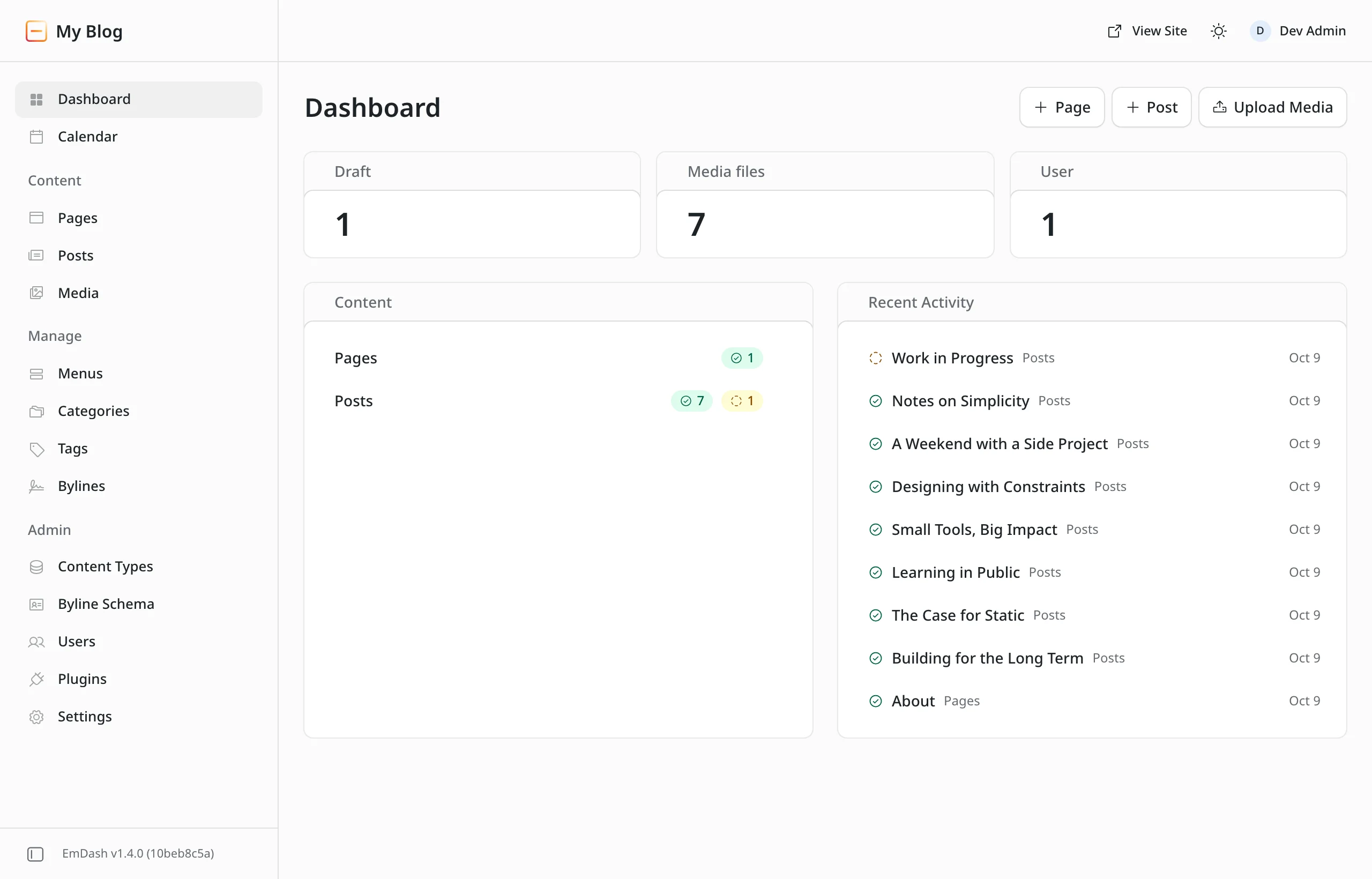
In content lists, the buttons at the end of each row moved into one "…" menu (#4446). It holds Edit, Duplicate and Move to trash, plus a link to the page for published entries. Clicking the title still opens the entry.
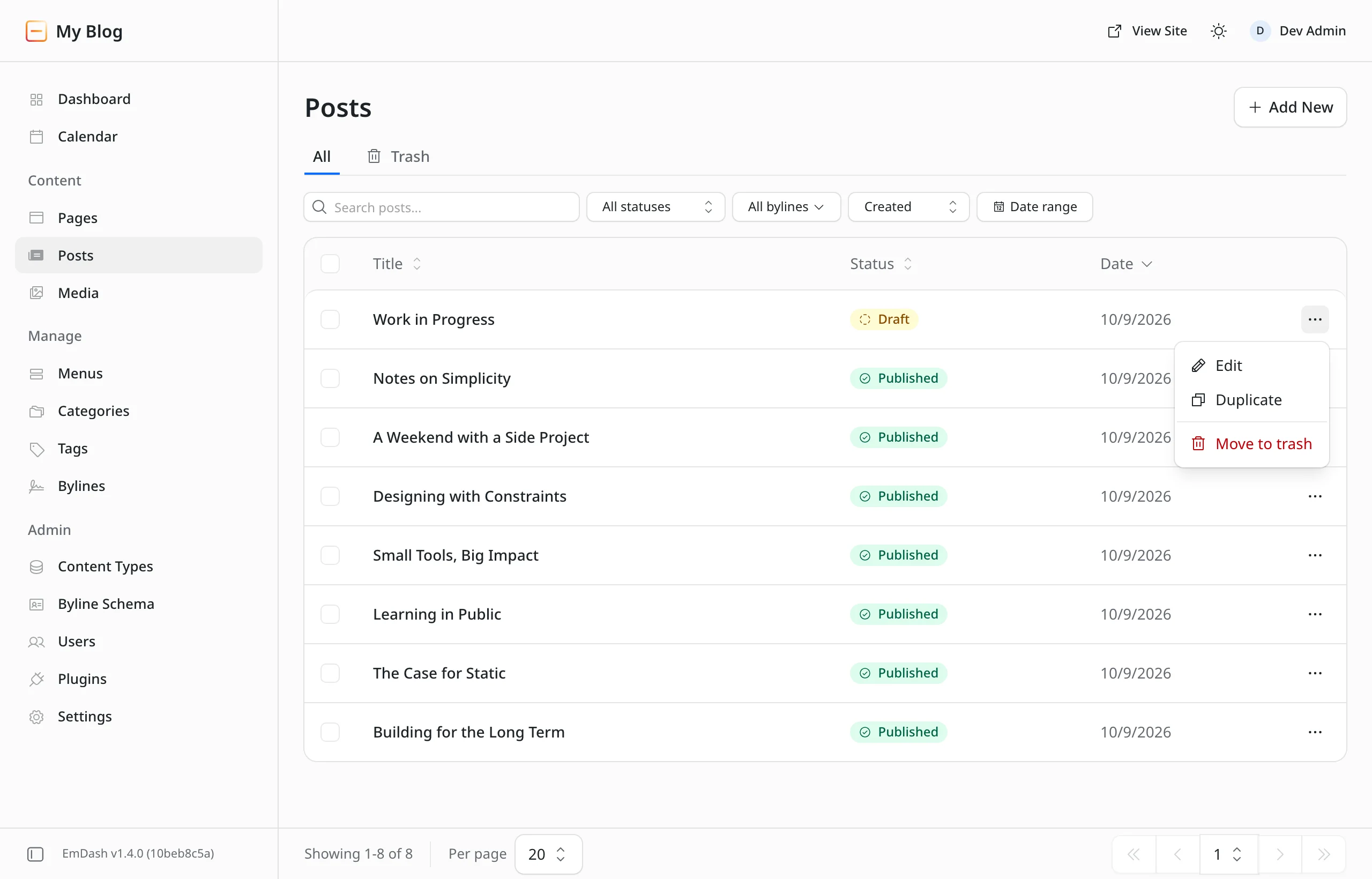
Smaller things in the admin:
- The trash buttons on menu items and widgets ask for confirmation instead of deleting on the first click (#4434).
- An admin URL that doesn't exist now shows an error page with the sidebar and a way back, instead of a bare "Not Found" line (#4433).
- The scheduling dialog suggests the next whole hour and tells you what to fix when the date or time is wrong. Before, the button simply did nothing (#4307).
- If you set
admin.logoandadmin.siteName, the setup wizard and the welcome dialog now show them instead of EmDash branding (#4315, #4165). - Error toasts are red again instead of neutral (#4303).
No more silently lost edits
The worst thing a CMS can do is lose work without anyone noticing. Daniel closed three such gaps in 1.4:
- Two saves at once. When two clients saved the same entry from the same revision at almost the same moment, say two AI agents over MCP or a script using
emdash content update --rev, both reported success and the first was silently overwritten. Now the second gets409 CONFLICT, just like any save based on an outdated revision. This applies to D1, Durable Objects and PostgreSQL (#4286). - Leaving the editor too soon. Clicking another admin page right after typing lost the last edits. Now the editor sends them before leaving, and asks if it can't (#4298).
- Switching back and forth. Switching to another entry and back while autosave was still in flight could let an older copy overwrite your newer edits. Fixed too (also #4298).
Fields trip up less on save as well: an empty optional date field no longer causes "Invalid input", not even in new repeater rows (#4425). An empty image or file field is saved as null instead of an empty image object that changed on every save (#3129). And typing in a caption no longer throws the cursor to the end (#4368).
Search with Cloudflare AI Search
New is the plugin @emdash-cms/plugin-ai-search (#4071). It puts published content and author profiles into a Cloudflare AI Search index, keeps the index current on every change and ships an AiSearch component with a search button and dialog. You choose what goes into the index in a setup wizard in the admin. On Workers it connects through a binding; on any other platform, Node.js included, through a Cloudflare API token (#4310).
The plugin replaces aiSearch from @emdash-cms/cloudflare/plugins. If you use that today, the plugin guide covers switching and the API token limits. I haven't tried it yet: The Weekly Dash, the blog Daniel and I run, still uses the built-in search.
Faster and more reliable on Cloudflare
Fewer queries and a cache that doesn't lie
- Bylines in one query. Sites with custom byline fields, or with entries that have an author but no explicit byline credit, save two to six sequential D1 queries per page (#4167). Each one is a round trip to the database. How much that costs depending on the region is in D1 region and load time.
- Widget areas in the object cache. With an object cache enabled, widget areas no longer query the database on every page load. Changes in the admin, from a seed or a site transfer clear it. I wrote this pull request (#3596).
- No more `304` for stale pages. EmDash used to send a
Last-Modifiedheader based on the entry's date. Cloudflare answered304 Not Modifiedfrom it even when a list on the page had changed or a post had been deleted, and readers saw the old version. The automatic header is gone now (#4243). What that means for your own templates is in the checklist below.
What 1.4 doesn't change: publishing still purges every page that shows a post list. Why that matters so much on Cloudflare and what helps is what I measured on The Weekly Dash in a cold cache, not a cold start.
Fixes for Cloudflare
- Menus on D1. Larger menus couldn't be translated on D1 and left an empty translated menu behind. Translating, deleting and reordering now save completely or not at all (#4364).
- Cloudflare Access and KV. Signing in through Cloudflare Access wrote the session to Workers KV on every admin request, which could use up the Free plan's daily write limit. Now EmDash only writes when the user changes (#4157).
- Sandboxed plugins. Sandboxed plugins with
email:sendcan send mail on Workers again (#4281), and creating content, setting terms and publishing work when a request spans several isolates (#4394). Projects withcloudflare.config.ts, the new configuration of@astrojs/cloudflare15, no longer switch the sandbox off silently. I wrote that fix (#4278). - Images. The image endpoint kept the R2 read open after it had already answered
304. I fixed that too (#4186).
Menus without dead links
getMenu() leaves out items that point to trashed or unpublished posts. Until now they sent readers to a 404 page. When an item is left out, its children go with it instead of jumping to the top level. In edit mode the links stay visible, and with an object cache a menu reloads as soon as an entry it links to changes (#4285).
WordPress import and content types
- Custom post types with a hyphen. Types such as
team-membercouldn't be imported through the EmDash Exporter plugin: theteam_membercollection was created, then every entry failed. Now the review step shows the collection name, and custom taxonomies get linked. I wrote this fix (#3890). - Slugs from the right field. In a collection whose title field is
nameand which also has atitlefield, a person's job title for example, the slug came fromtitle, so two people with the same job collided. Now the configured title field counts (#4386). - Reference fields named `title` or `name`. Daniel fixed three bugs such fields caused: content list search failed (#4208), a searchable reference field blocked creating entries (#4205), and the media library didn't know where images were used (#4296).
- Downloads with names. PDFs and other files from the media library download under their original name instead of a storage key (#3192).
The admin in more languages
Daniel completed more of the German admin (#4210, #4355). The English leftovers from 1.3 we mentioned in our EmDash 1.3 article on The Weekly Dash are translated: the revision history with restore, menu renaming, the AI training switch and the byline form errors.
Simplified Chinese is now complete (#4124), Brazilian Portuguese gained 1,170 strings (#4037), Turkish is done (#3572), and Japanese arrived almost everywhere across four pull requests. Dutch, Hindi and Indonesian are more complete. In an Arabic admin, slugs, URLs and patterns display in the right order again (#4299).
For developers and AI agents
- OAuth and `emdash login`. Expired tokens and unused login codes from
emdash loginand MCP clients no longer stay in the database forever (#4287). The token endpoint answers with the standardinvalid_grantcode, so clients restart authorization (#4459). - Sandboxed plugins. Await operations on
ctx.content,ctx.taxonomiesandctx.commentsbefore a route or hook returns. Work that outlives the invocation no longer works over this connection (#4394). - `site import`. The import no longer fails with
COLLECTION_EXISTSwhile a manually deleted collection is still being cleaned up (#4380). - Build. Dependencies such as
zustand/traditionalno longer break the build (#4276).
Updating to EmDash 1.4: what to check first
1.4 brings no new database migration. Check these six points before you update:
- Drafts in menus:
getMenu()leaves out items pointing to drafts or trashed posts, children included. If you built menus with drafts on purpose, to show announced parts for example, those items disappear. A custom link stays (#4285). - `cacheHint.lastModified`: EmDash no longer fills it in. For an entry's displayed modification date, use
entry.data.updatedAt. Pages that relied on the automatic header also lose Astro's implicitCache-Control: no-cache. Set it yourself if browsers should check on every visit (#4243). - Empty image and file fields over the API: sending
""to a required image or file field now returns an error instead of saving an empty image. The admin is not affected (#3129). - Simultaneous saves: scripts or agents saving the same entry in parallel now get
409 CONFLICT. Read the entry again and save once more (#4286). - Failed menu translations: if translating a menu on D1 failed before, delete the empty translated menu and translate again (#4364).
- Media usage: if a collection has a reference field named
titleorname, open Settings → Media usage tracking and wait for Ready. If it shows Needs attention, repair the collection once withnpx emdash media repair-usage --collection <collection>(#4296).
How to update to EmDash 1.4
An update is a deployment: you bump the packages in your project and deploy the site again. Your content stays in the database. The easiest way is upgrade-emdash:
npx upgrade-emdash@latest
npm run deploy
I tried it on a copy of our test site built from the Cloudflare blog template. The --dry-run reported two packages from 1.3.1 to 1.4.0 and 26 changelog entries. The real update took 29 seconds, added no migration, and the build passed afterwards. Then I switched on hiddenNavItems, which is where the screenshots above come from.
By hand it still takes two commands:
npm install emdash@latest @emdash-cms/cloudflare@latest
npm run deploy
Keep emdash and @emdash-cms/cloudflare on the same version. On Cloudflare, every deploy starts with an empty cache unless you enabled cross_version_cache. How to set a restore point first and get back if something breaks is in How to update EmDash, step by step.
And you?
Which areas will you hide, and has an overwritten save ever caught you out? Tell me on LinkedIn or by email. Daniel and I are both EmDash maintainers and read along: what you report here goes straight into the project.

